Where the app comes from
The Melbet Android app is available via a direct APK download from the official Melbet site.
Betting apps are often distributed directly by the operator instead of through Google Play. Google's rules for real-money gambling apps differ from country to country. Search Google Play yourself, and if there's no official Melbet listing, the APK from melbet.et is the route Melbet provides. A listing from any other publisher isn't Melbet.
App details
| Detail | Value | Source |
|---|---|---|
| App name | Melbet | Official site |
| Publisher | Pelican Entertainment B.V. | Melbet certificate of operation |
| Current Android version | 257.05 | Official Melbet APK |
| Package name | org.melbet.client | Uptodown (third party) |
| APK size | about 70.7 MB | Uptodown (third party) |
| Permissions requested | 37 | Uptodown (third party) |
| Minimum Android version | Android 5.0 or later | Third-party listing, check against the current APK |
| Price | Free | Official site |
| Official source | melbet.et | Official site |
Checked 2026-09-29. Version, size and permissions change with each release.
Requirements
Because the app is installed as an APK, what matters is your Android version and free storage, not your phone brand.
| Requirement | Minimum | Recommended |
|---|---|---|
| Android version | 5.0 (third-party listing) | A currently supported Android version, with security updates |
| Free storage | About 70.7 MB for the APK, plus room for the installed app | At least 300 MB free, so updates and cache fit |
| RAM | Not published | 2 GB or more |
| Internet | Required | Stable Wi-Fi or 4G, especially for live betting and streams |
Supported phones
Recent phones from Samsung, Xiaomi, Redmi, Google Pixel, Motorola, OnePlus, Oppo, Realme, Huawei and Honor should install the app without problems on a currently supported Android release. The same goes for the Tecno, Infinix and itel phones that are popular in Ethiopia.
Those three brands use their own interfaces (HiOS, XOS and itel OS), so the "Install unknown apps" setting can sit in a different menu. Search Settings for unknown to find it quickly. Some of them also have aggressive battery savers that close apps in the background. If live odds stop updating while you switch apps, exclude Melbet from battery optimisation.
Installing the Android app
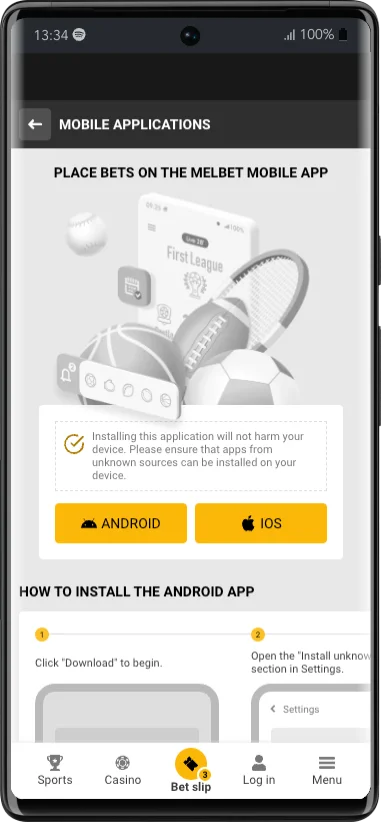
Open melbet.et in Chrome
Use the phone you want to install on. Don't download the file on a computer and transfer it.
Download the app
Use the download button on the app page. The file goes to your Downloads folder.
Allow the install
Android asks you to allow installs from this source, usually your browser. Allow it for the browser you used.
Install
Open the downloaded file and tap Install. It takes a few seconds.
Turn the permission back off
Go to Settings and switch off 'Install unknown apps' for your browser. You don't need it again until the next update.
Sign in
Open Melbet and sign in with your existing details, or register a new account.
Exact menu names vary by phone brand and Android version. Look for 'Install unknown apps' or 'Unknown sources' in Settings, under Apps or Security.
Fixing installation problems
"App not installed"
Usually an older version is in the way, or the download didn't finish. Uninstall the old Melbet app, download again on a stable connection, and retry.
"There was a problem parsing the package"
The file is incomplete or corrupt. Delete it and download it again from melbet.et.
Play Protect shows a warning
Play Protect flags apps that come from outside the Play Store. Make sure the file came from melbet.et. If you got it anywhere else, don't install it.
Not enough storage
Free some space by clearing cached data or removing unused apps, then try again.
The app won't open after an update
Clear the app's cache in Settings → Apps → Melbet. If that doesn't help, uninstall it and install the current version.
Updating the app
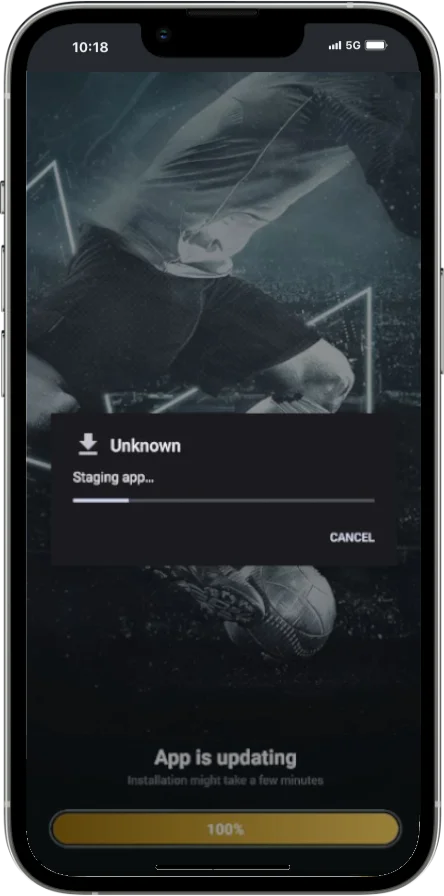
Depending on the version you have, the app either updates itself with an in-app prompt or asks you to download a newer APK. To see which version you're on, open Settings → About in the app and compare it with the version on this page.
To update manually, download the latest APK from melbet.et and install it over the existing app, without uninstalling first. Your account isn't stored on the phone, so updating won't touch your balance or bets. The APK guide covers version checks in more detail.
When the app isn't working
Problems after installing usually have one of these causes:
The app crashes
Restart the app and the phone, update to the latest version, then clear the cache. If it still crashes, reinstall from melbet.et.
Odds aren't updating
Check your connection first. In live play the market may simply be suspended. An outdated app version can also stop prices refreshing.
Can't log in
Check you're on the right login tab and that your details are correct. Pending verification or an account restriction can also block access. See the login guide.
Deposit or withdrawal fails
It may be the payment provider, verification status, a limit or a regional restriction. Contact support with the transaction reference.
Frequently asked questions
Is the Melbet app on Google Play?
It depends on local regulation. If there's no official listing in your country, the APK from melbet.et is the route Melbet provides.
What Android version does Melbet need?
A third-party listing gives Android 5.0 or later. For security and smooth live betting, use a currently supported Android version.
What is the latest Melbet app version?
Version 257.05 when we checked on 29 September 2026. Your installed version is shown under Settings → About in the app.
Is it safe to allow 'Install unknown apps'?
Yes, for a file from a source you trust. Allow it only for the browser you used, and switch it off again after installing.
Do I need a new account for the app?
No. Sign in with your existing Melbet details.
Will updating the app remove my balance?
No. Your balance and history are stored in your account, not on the phone.