What an APK is
APK stands for Android Package. It's the file Android uses to install an app. Apps from the Play Store use them too, but the store handles them for you. Downloading the Melbet APK yourself simply means installing the Melbet Android app straight from its source.
APK files only work on Android. They can't be installed on iPhone, Windows or Mac.
Official file details
| Detail | Value | Source |
|---|---|---|
| App name | Melbet | Official site |
| Publisher | Pelican Entertainment B.V. | Melbet certificate of operation |
| Current Android version | 257.05 | Official Melbet APK |
| Package name | org.melbet.client | Uptodown (third party) |
| APK size | about 70.7 MB | Uptodown (third party) |
| Permissions requested | 37 | Uptodown (third party) |
| Minimum Android version | Android 5.0 or later | Third-party listing, check against the current APK |
| Price | Free | Official site |
| Official source | melbet.et | Official site |
Checked 2026-09-29. Version, size and permissions change with each release.
If the version or size of a file you've downloaded doesn't match what's published here, delete it and download again from melbet.et.
How to check your APK is genuine
Fake betting APKs are common in Telegram and WhatsApp groups. These checks catch nearly all of them:
- Source: you downloaded it yourself from melbet.et, not from a link someone sent you.
- Size: roughly 70 MB. A file of a few MB is a downloader or a fake.
- Package name:
org.melbet.client. Many phones show it in Settings → Apps → Melbet → App info. Some only show it in the installer. - Version: after installing, Settings → About in the app should match the current release (257.05 on 29 September 2026).
- Permissions: Uptodown lists 37 for the current build. Review what Android shows. Be suspicious of any "Melbet" app that asks to read your SMS, use Accessibility services or become a device administrator. Banking malware disguised as betting apps relies on exactly those.
- Play Protect: keep it switched on. It warns about apps from outside the Play Store, but it also catches known malware.
Installing the APK
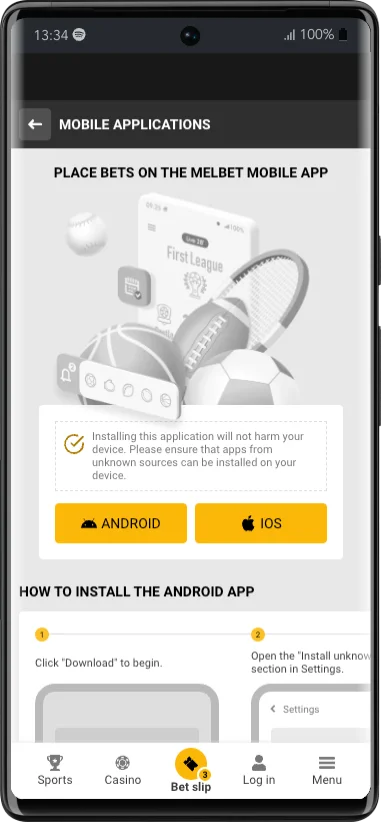
Download on your phone
Open melbet.et in Chrome and use the APK download button.
Allow the install
When Android asks, allow installs from your browser.
Install
Open the file from your Downloads and tap Install.
Switch the permission off
Turn 'Install unknown apps' back off for your browser.
Sign in
Open Melbet and sign in with your account details.
Screens vary by phone brand. The Android app guide covers the error messages you might see.
Official APK and unofficial copies
It's easy to tell them apart once you know what to check:
| Official Melbet APK | Unofficial APK sites | |
|---|---|---|
| Source | melbet.et | Mirror sites, chat groups, file-sharing links |
| Version | Current release | Often outdated or modified |
| Price | Free | Sometimes charged for, or bundled with ads |
| Risk | Signed by Melbet | Can contain malware or steal login details |
Updating with the APK
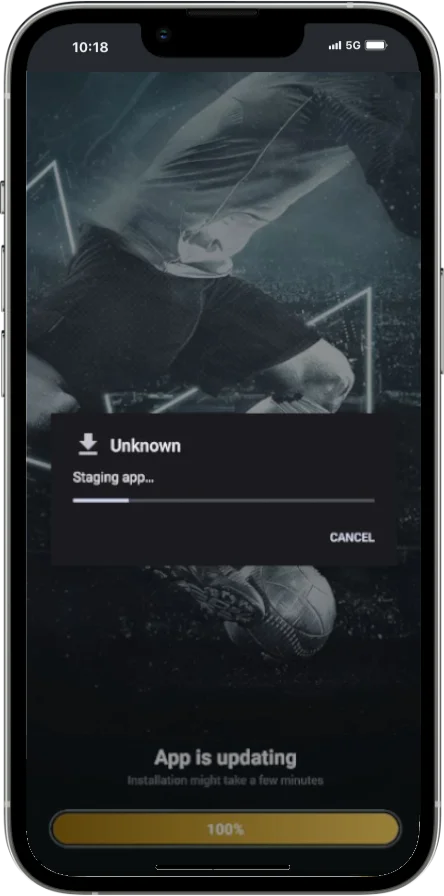
To update, download the new APK from melbet.et and install it over the old one, without uninstalling first. Android checks that the new file is signed by the same developer. If it refuses with a signature or 'conflict' error, the version you have may not be official. Uninstall it and install a clean copy from melbet.et.
Frequently asked questions
Where can I download the Melbet APK?
Only from melbet.et. Other download sites aren't official and may host modified files.
Is the Melbet APK safe?
The official file from melbet.et is. Files from other sites can be outdated or tampered with.
How big is the Melbet APK?
About 70.7 MB for version 257.05, according to Uptodown (checked 29 September 2026). The size changes with each release.
What is the Melbet app's package name?
org.melbet.client. An app with a different package name isn't the official Melbet app.
Why does my phone warn me about the APK?
Android warns about every app installed from outside the Play Store. Once you've confirmed the file came from melbet.et, you can allow the install.
Can I install the APK on iPhone?
No. APKs are for Android only. See Melbet on iPhone for the iOS options.